

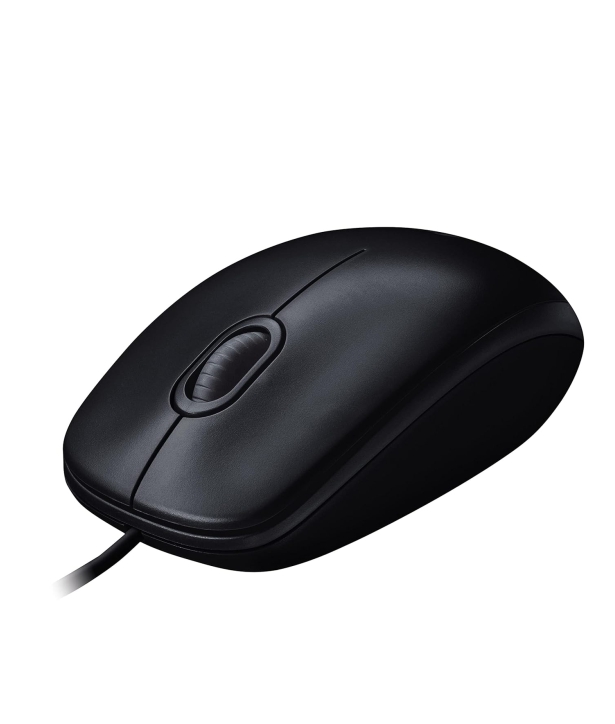
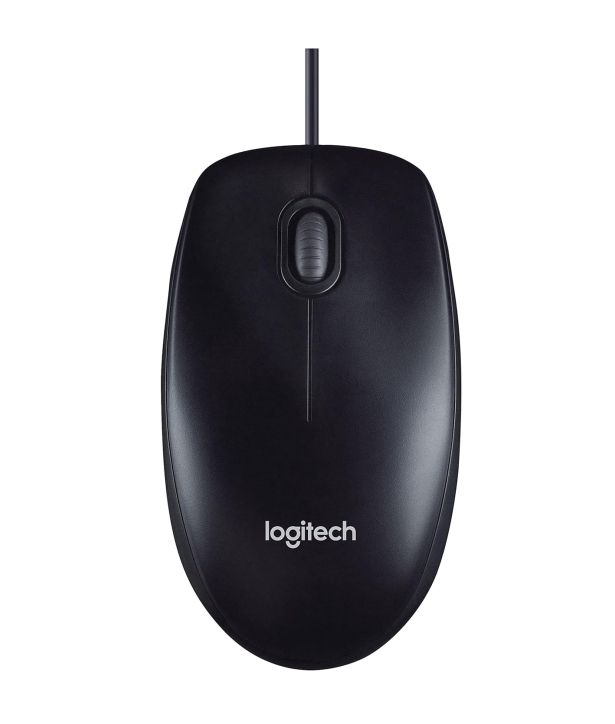
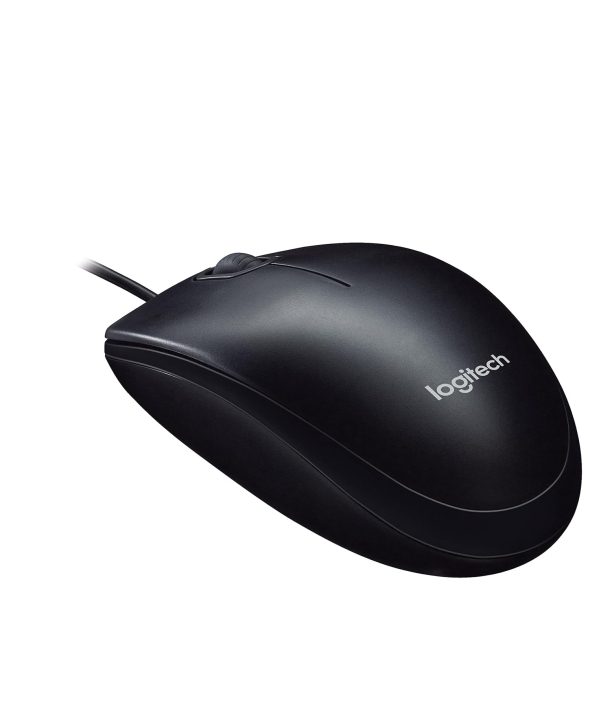
LOGITECH MOUSE M90

Here’s a summary of Logitech M90 USB Wired Mouse — what it is, what it does well, and when it may (or may not) be sufficient 👇
✅ What it is & key features
-
It’s a wired USB optical mouse — you plug it into a USB-A port and it works immediately (plug-and-play, no extra software needed).
-
It uses an optical sensor at 1000 DPI, giving reasonably smooth and accurate cursor control for everyday tasks like browsing, office work, and general use.
-
It has a simple 3-button design: left-click, right-click, and a clickable scroll wheel.
-
The shape is ambidextrous and full-size, so it works for both left- and right-handed users and is comfortable for typical office/home use.
-
It’s lightweight — typically around 90 g.
-
It’s compatible with a wide range of operating systems: Windows (various versions), macOS, Linux.
👍 What it’s good for
-
Everyday tasks: web browsing, document editing, emails, spreadsheets — basically standard office/study/laptop-use needs.
-
If you want a basic, no-frills, dependable mouse — simple wiring, no batteries, no extra software.
-
Budget-conscious buyers: this is usually a low-cost, value-for-money mouse — easy to replace too.
⚠️ What it’s not ideal for / limitations
-
No advanced features: no extra side buttons, no adjustable DPI on the fly, no customization software, no macro keys. That limits its usefulness for power users, creative design work, or gaming. Many reviews state it’s “just the basics.”
-
The 1000 DPI optical tracking — while fine for standard use — might feel insufficient if you need high precision (e.g. for photo editing, high-resolution displays, or fast-paced gaming).
-
Because it’s wired, there is no wireless freedom — a minor inconvenience if you want a clutter-free or portable setup.
-
The design is basic — not especially ergonomic for extensive long-hour use compared with ergonomic or premium mic
📊 Verdict — Who this mouse is best for
The Logitech M90 is a good pick if you want a reliable, inexpensive, plug-and-play mouse for everyday office / home / school use at your PC or laptop.
It is not the right choice if you need high-precision tracking, advanced features, or plan to do gaming, video editing, or other demanding pointer tasks — in those cases, a mouse with higher DPI, extra buttons, and perhaps ergonomic or wireless design would be better.
If you like — I can suggest 3–5 mice under ₹1000–₹1500 (similar budget as M90) that are upgrades — with better comfort or features (e.g. higher DPI, more buttons, maybe wireless).
Here’s a summary of Logitech M90 USB Wired Mouse — what it is, what it does well, and when it may (or may not) be sufficient 👇
✅ What it is & key features
-
It’s a wired USB optical mouse — you plug it into a USB-A port and it works immediately (plug-and-play, no extra software needed).
-
It uses an optical sensor at 1000 DPI, giving reasonably smooth and accurate cursor control for everyday tasks like browsing, office work, and general use.
-
It has a simple 3-button design: left-click, right-click, and a clickable scroll wheel.
-
The shape is ambidextrous and full-size, so it works for both left- and right-handed users and is comfortable for typical office/home use.
-
It’s lightweight — typically around 90 g.
-
It’s compatible with a wide range of operating systems: Windows (various versions), macOS, Linux.
👍 What it’s good for
-
Everyday tasks: web browsing, document editing, emails, spreadsheets — basically standard office/study/laptop-use needs.
-
If you want a basic, no-frills, dependable mouse — simple wiring, no batteries, no extra software.
-
Budget-conscious buyers: this is usually a low-cost, value-for-money mouse — easy to replace too.
⚠️ What it’s not ideal for / limitations
-
No advanced features: no extra side buttons, no adjustable DPI on the fly, no customization software, no macro keys. That limits its usefulness for power users, creative design work, or gaming. Many reviews state it’s “just the basics.”
-
The 1000 DPI optical tracking — while fine for standard use — might feel insufficient if you need high precision (e.g. for photo editing, high-resolution displays, or fast-paced gaming).
-
Because it’s wired, there is no wireless freedom — a minor inconvenience if you want a clutter-free or portable setup.
-
The design is basic — not especially ergonomic for extensive long-hour use compared with ergonomic or premium mice.
📊 Verdict — Who this mouse is best for
The Logitech M90 is a good pick if you want a reliable, inexpensive, plug-and-play mouse for everyday office / home / school use at your PC or laptop.
It is not the right choice if you need high-precision tracking, advanced features, or plan to do gaming, video editing, or other demanding pointer tasks — in those cases, a mouse with higher DPI, extra buttons, and perhaps ergonomic or wireless design would be better.
If you like — I can suggest 3–5 mice under ₹1000–₹1500 (similar budget as M90) that are upgrades — with better comfort or features (e.g. higher DPI, more buttons, maybe wireless).



















Add A Review
Your email address will not be published. Required fields are marked
Your Rating *
You need to Login OR Register