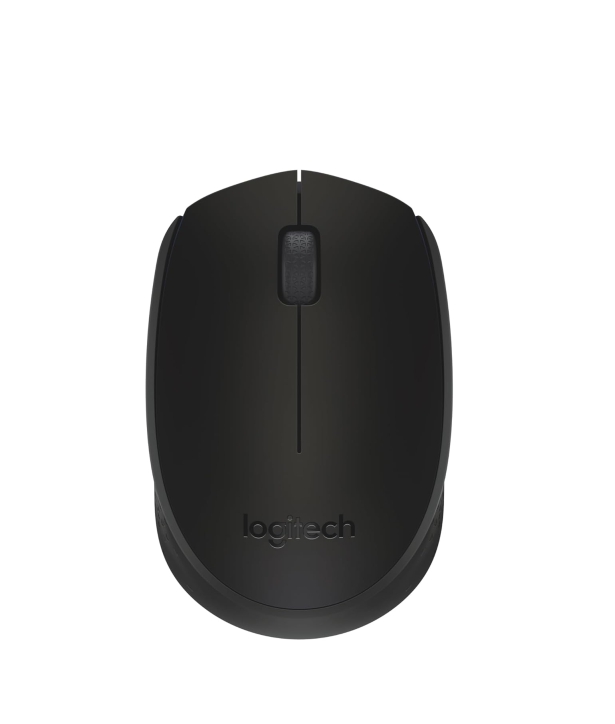
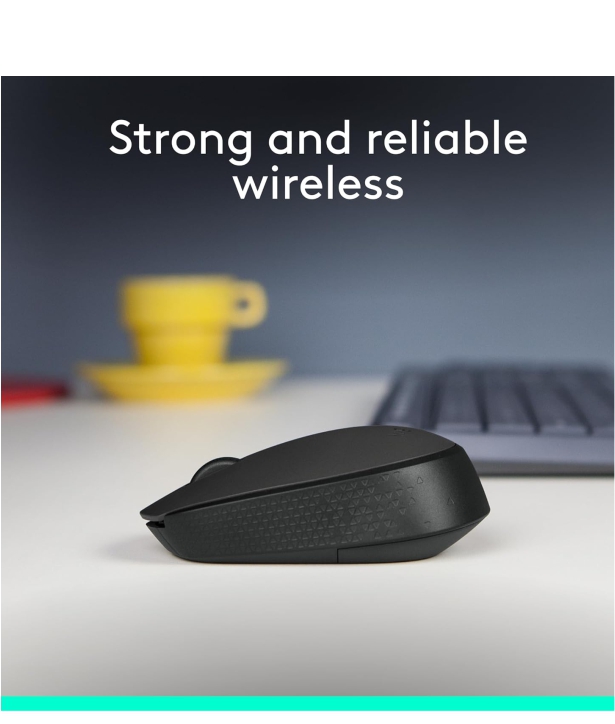

LOGITECH MOUSE WIRELESS M170

Login to View Price (Incl. GST)
dislable

Here’s an overview of the Logitech M170 Wireless Mouse — what it is, what it does well, and where it has limitations:

✅ What’s good about Logitech M170

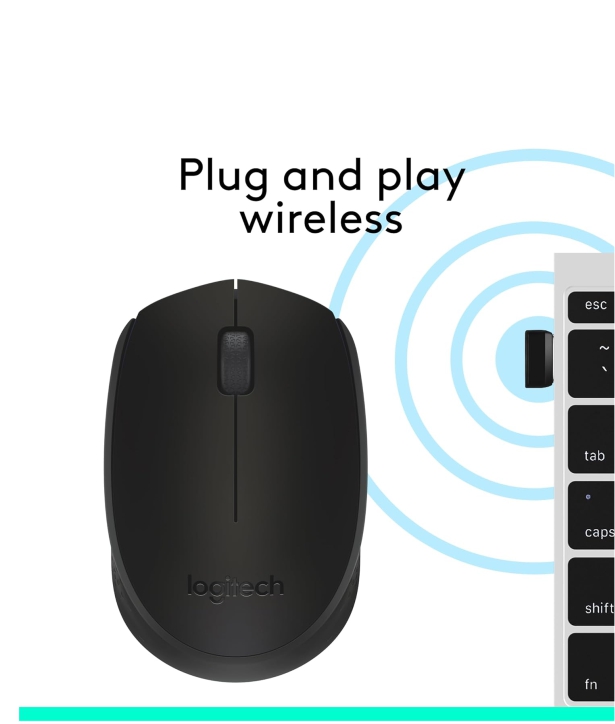
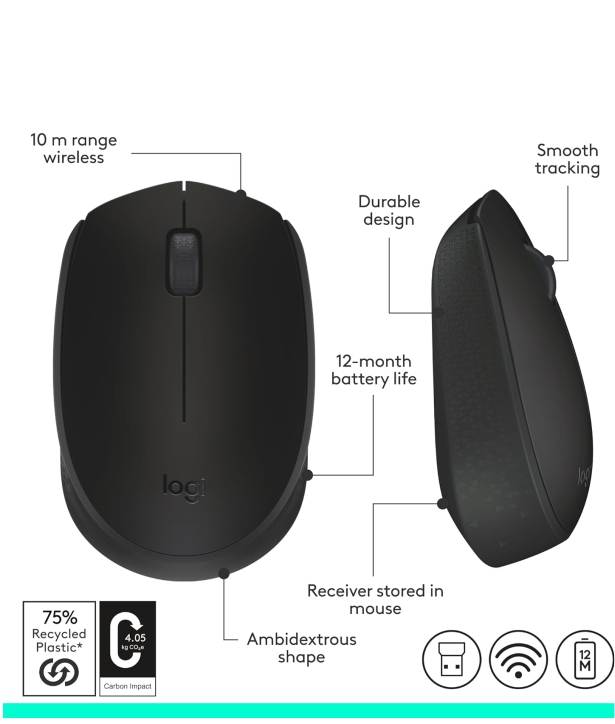
  • Wireless + plug-and-play: M170 uses a 2.4 GHz wireless connection via a small USB nano-receiver. As soon as you plug in the receiver into your computer’s USB port, it works — no drivers or software installation needed. 

  • Long battery life: It runs on a single AA battery, and can last up to ~12 months (depending on usage). 

  • Good for everyday tasks: The optical sensor gives smooth, accurate cursor control on most surfaces, and the ambidextrous design is comfortable for both left- and right-handed users. 

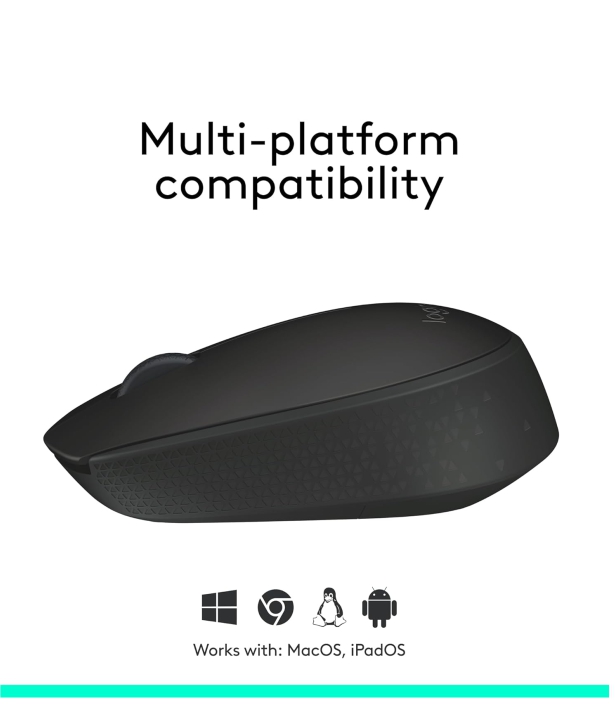
  • Wide compatibility: M170 works with Windows, macOS, Chrome OS, Linux (kernel 2.6+), and other common operating systems. 

  • Compact and portable: Its small size is convenient for laptops or small desks. 

⚠️ What to know (and what it's not ideally suited for)

  • Basic feature set: No adjustable DPI, no extra buttons, no RGB or advanced customization. For casual browsing, office-work, or everyday use it’s fine — but for gaming or precision work (e.g. heavy graphic design), it may feel limited. 

  • No Bluetooth — uses USB dongle: If your laptop/PC doesn’t have a spare USB-A port, you’ll need a USB-A → USB-C adapter. 

  • Not ideal on glass / ultra-smooth surfaces: As with many budget optical mice, the sensor may struggle on very smooth or reflective surfaces. 

  • Reloadable battery (not rechargeable): You need to replace the AA battery when drained — there is no built-in rechargeable battery. 

🎯 Who this mouse is good for — and who should look elsewhere

Good for:

  • Everyday laptop/computer use (web browsing, office work, email, document editing)

  • Students or professionals needing a reliable, inexpensive mouse

  • Users who want a simple, lightweight, easy-to-carry mouse for travel or occasional work

Not ideal for:

  • Competitive or casual gaming — you may want a mouse with higher polling rate, adjustable DPI, or extra buttons

  • Graphic designers or video editors who need precision or custom button mapping

  • Those needing Bluetooth connectivity instead of a USB-dongle


If you like — I can also suggest 3–4 alternative wireless mice similar to M170 but with extra features (e.g. silent clicks, better ergonomics, Bluetooth) — in case you want to compare before buying.
Do you want me to build that comparison for you now?

  • Out Of stock
Product ID:

Here’s an overview of the Logitech M170 Wireless Mouse — what it is, what it does well, and where it has limitations:

✅ What’s good about Logitech M170

  • Wireless + plug-and-play: M170 uses a 2.4 GHz wireless connection via a small USB nano-receiver. As soon as you plug in the receiver into your computer’s USB port, it works — no drivers or software installation needed. 

  • Long battery life: It runs on a single AA battery, and can last up to ~12 months (depending on usage). 

  • Good for everyday tasks: The optical sensor gives smooth, accurate cursor control on most surfaces, and the ambidextrous design is comfortable for both left- and right-handed users. 

  • Wide compatibility: M170 works with Windows, macOS, Chrome OS, Linux (kernel 2.6+), and other common operating systems. 

  • Compact and portable: Its small size is convenient for laptops or small desks. 

⚠️ What to know (and what it's not ideally suited for)

  • Basic feature set: No adjustable DPI, no extra buttons, no RGB or advanced customization. For casual browsing, office-work, or everyday use it’s fine — but for gaming or precision work (e.g. heavy graphic design), it may feel limited. 

  • No Bluetooth — uses USB dongle: If your laptop/PC doesn’t have a spare USB-A port, you’ll need a USB-A → USB-C adapter. 

  • Not ideal on glass / ultra-smooth surfaces: As with many budget optical mice, the sensor may struggle on very smooth or reflective surfaces. 

  • Reloadable battery (not rechargeable): You need to replace the AA battery when drained — there is no built-in rechargeable battery. 

🎯 Who this mouse is good for — and who should look elsewhere

Good for:

  • Everyday laptop/computer use (web browsing, office work, email, document editing)

  • Students or professionals needing a reliable, inexpensive mouse

  • Users who want a simple, lightweight, easy-to-carry mouse for travel or occasional work

Not ideal for:

  • Competitive or casual gaming — you may want a mouse with higher polling rate, adjustable DPI, or extra buttons

  • Graphic designers or video editors who need precision or custom button mapping

  • Those needing Bluetooth connectivity instead of a USB-dongle


If you like — I can also suggest 3–4 alternative wireless mice similar to M170 but with extra features (e.g. silent clicks, better ergonomics, Bluetooth) — in case you want to compare before buying.
Do you want me to build that comparison for you now?

Add A Review

Your email address will not be published. Required fields are marked

Your Rating *

You need to Login OR Register

Overall Ratting:- 0

Based on 0 Comments